The latest firmware for Yanhua Mini ACDP2 introduces bench‑mode key duplication for several high‑security BMW modules: BDC2, BDC3, LCD (encrypted), and BCP (both UWB and non‑UWB versions). This walkthrough focuses on a BDC3 key, showing every step from disassembly to final verification.
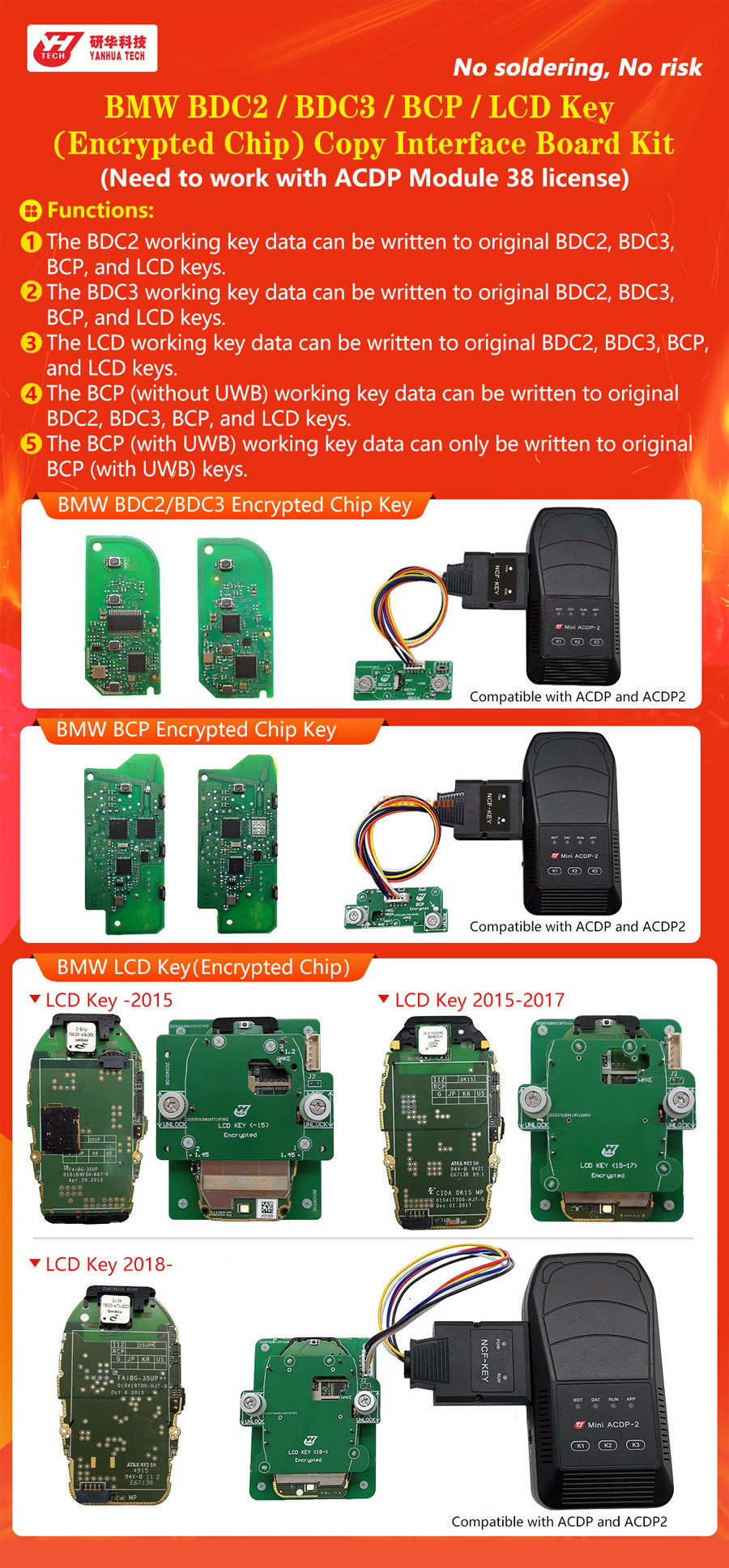
Required components & licenses
- Mini ACDP or ACDP2 main unit
- Module 38 (activated license mandatory)
- Yanhua dedicated adapter for BDC2/BDC3 encrypted keys
- Original working BDC3 key + a compatible blank key
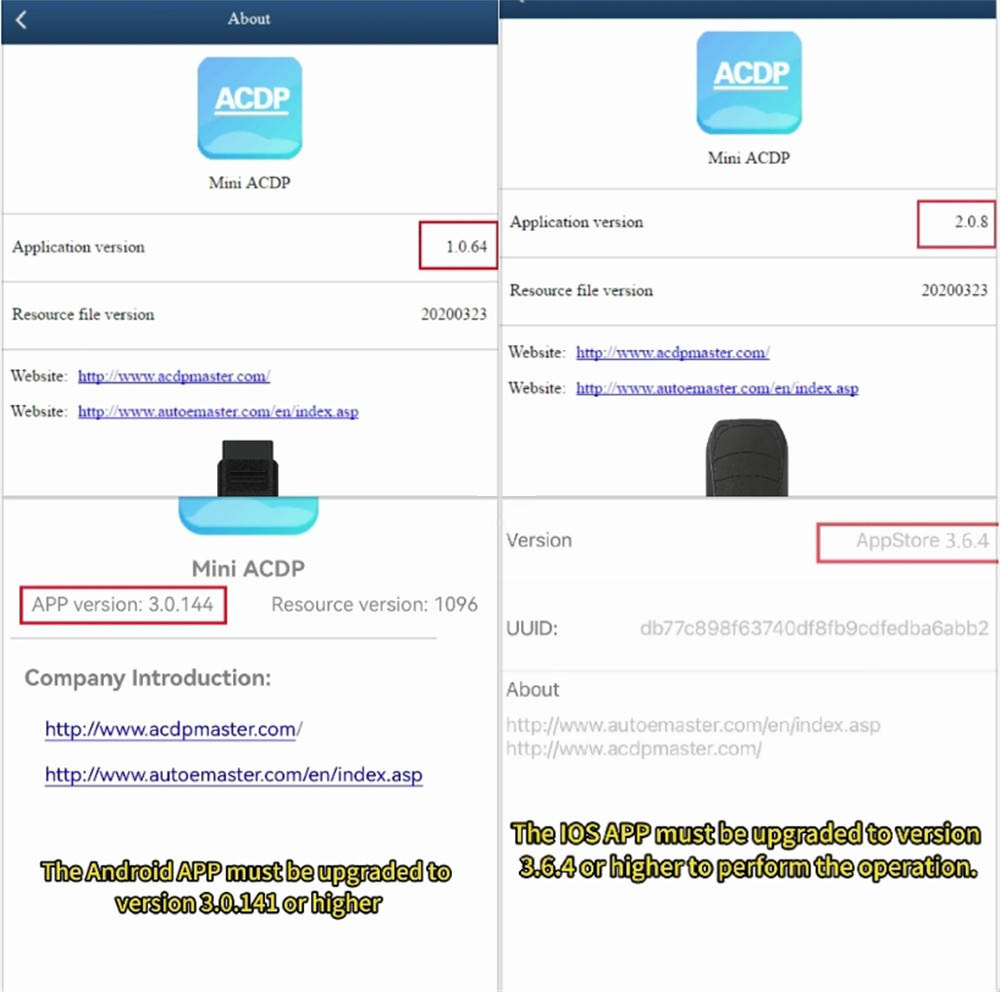
Minimum software versions
- ACDP PC software: 1.0.64 or newer
- ACDP2 PC software: 2.0.8 or newer
- Android app: 3.0.141+
- iOS app: 3.6.4+
Detailed cloning procedure
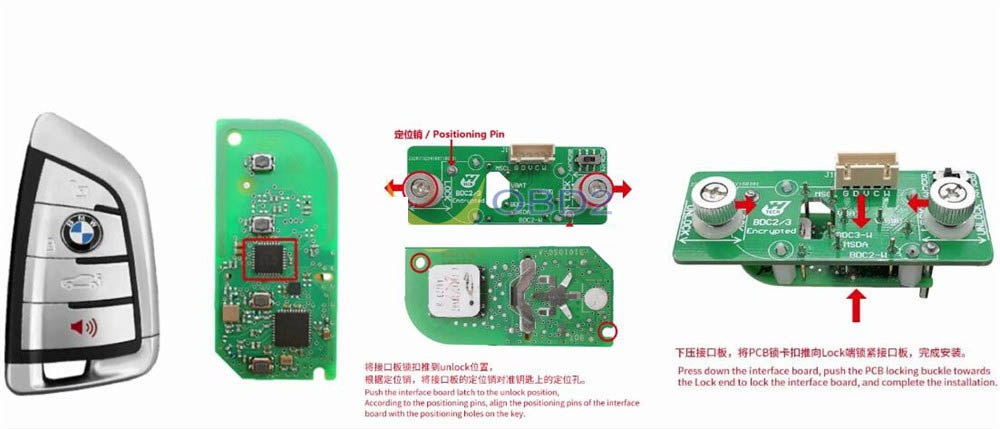
1. Prepare and mount the key
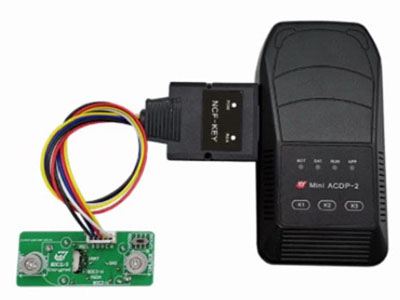
Carefully open the housing of the BDC3 key. On the interface board, set the small latch to the UNLOCK position. Align the contact pins with the key’s PCB and gently press down until fully seated. Finally, move the latch to the LOCK position to secure the connection.
2. Hardware connection
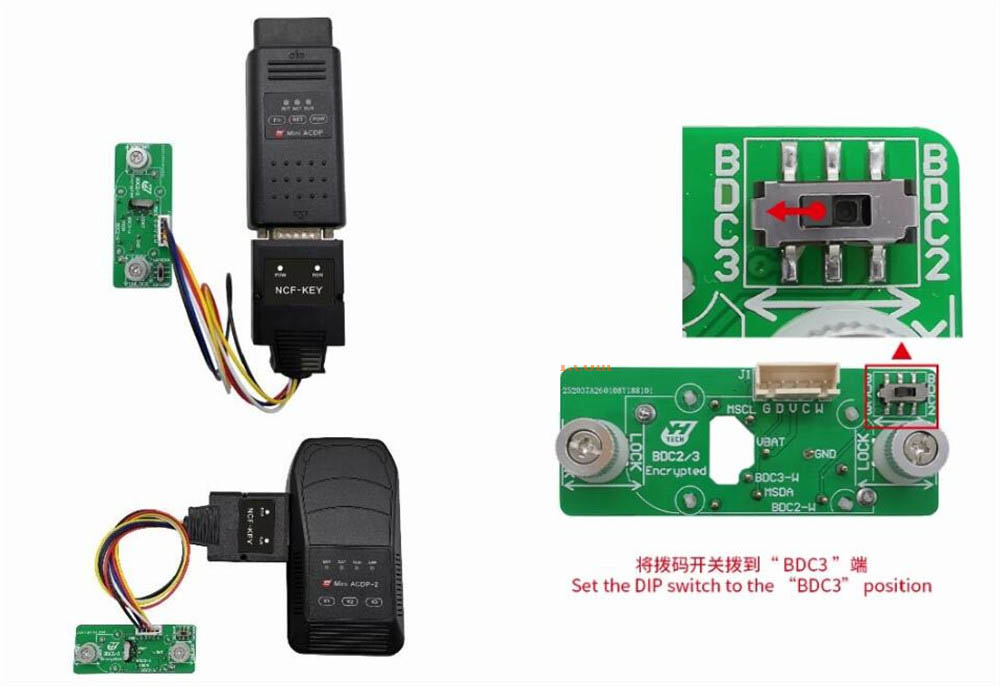
Connect the Yanhua ACDP2 main unit to the interface board (with the key mounted), then attach the special adapter. Set the DIP switch on the adapter to the BDC3 position.
3. Navigate to the correct software menu
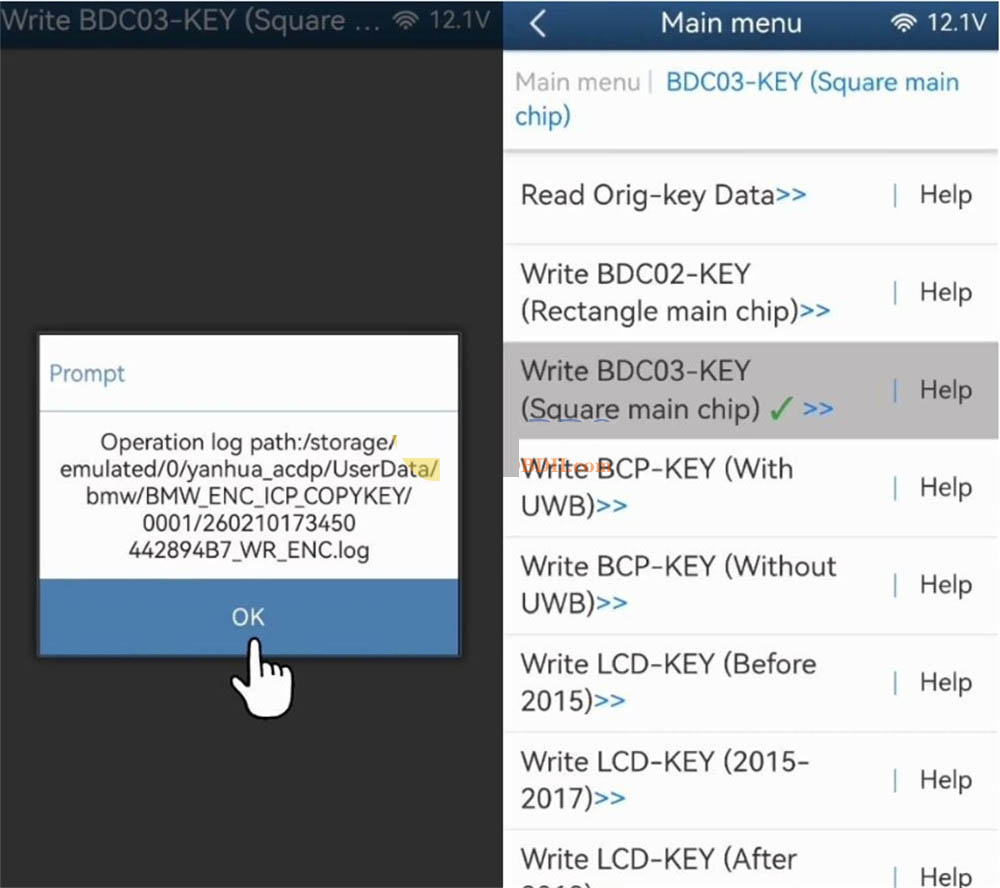
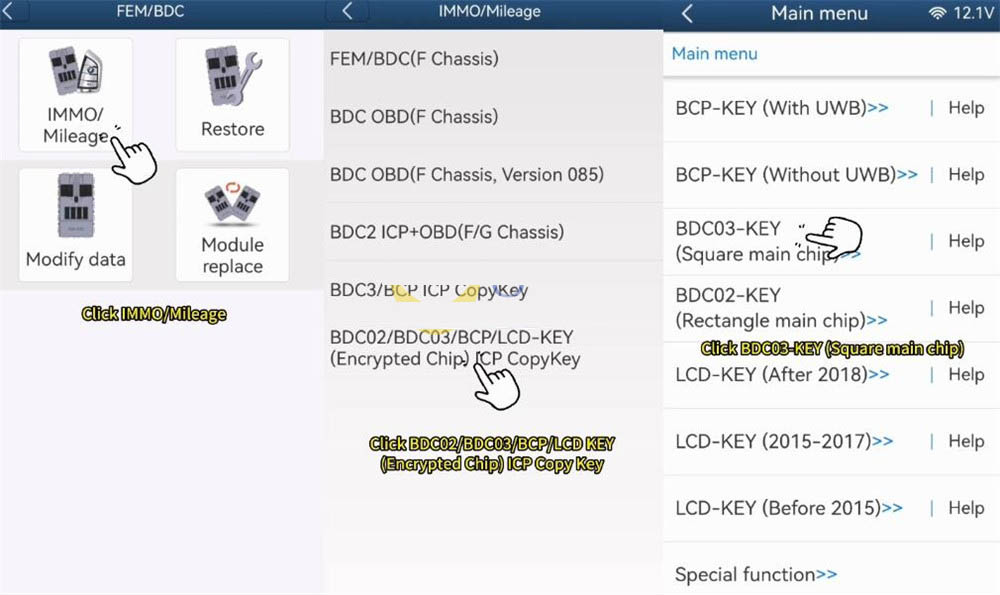
Launch the ACDP application on your PC or mobile device. Follow this menu path: BMW → FEM/BDC → IMMO/Mileage → BDC02/03/BCP/LCD key (encrypted) ICP Copy Key → BDC03‑key (square/encrypted).
4. Read and back up the original key
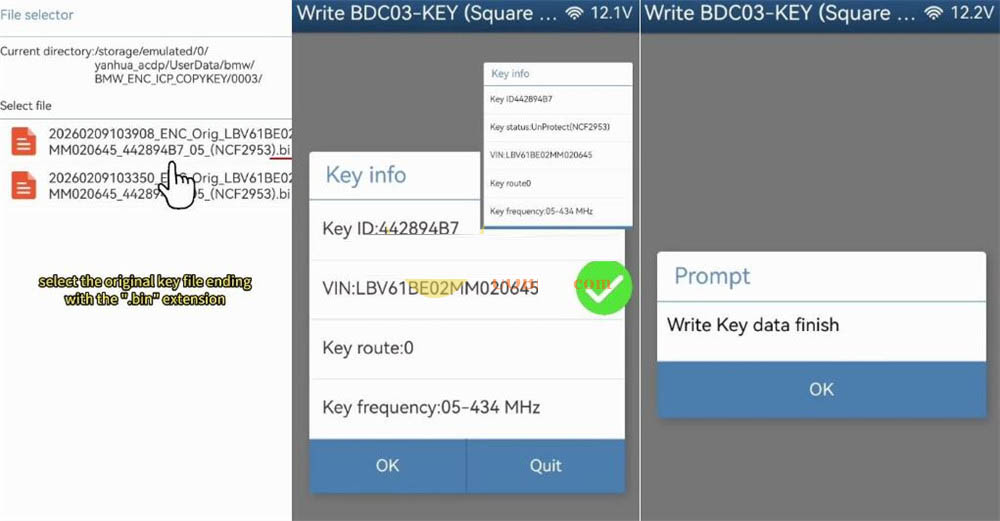
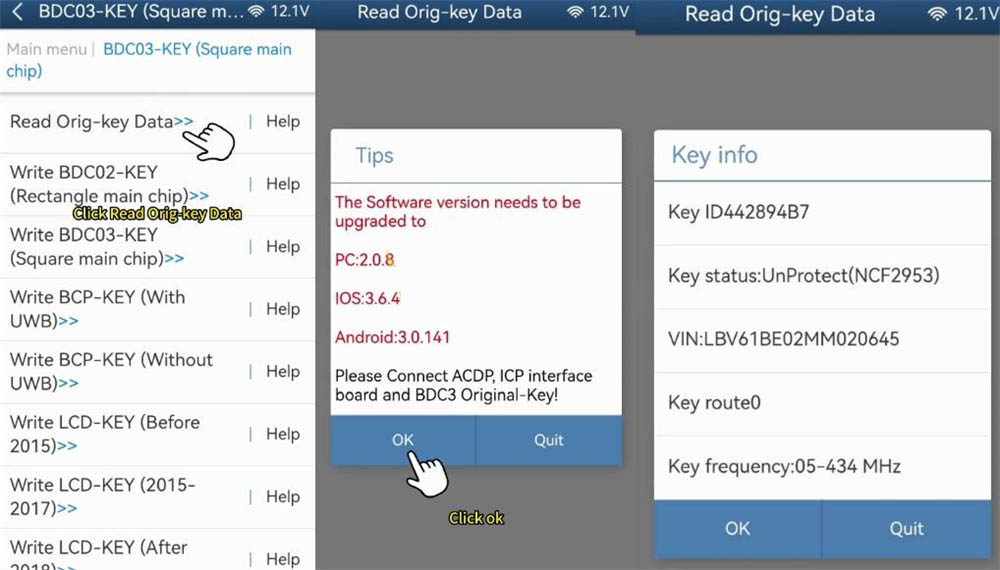
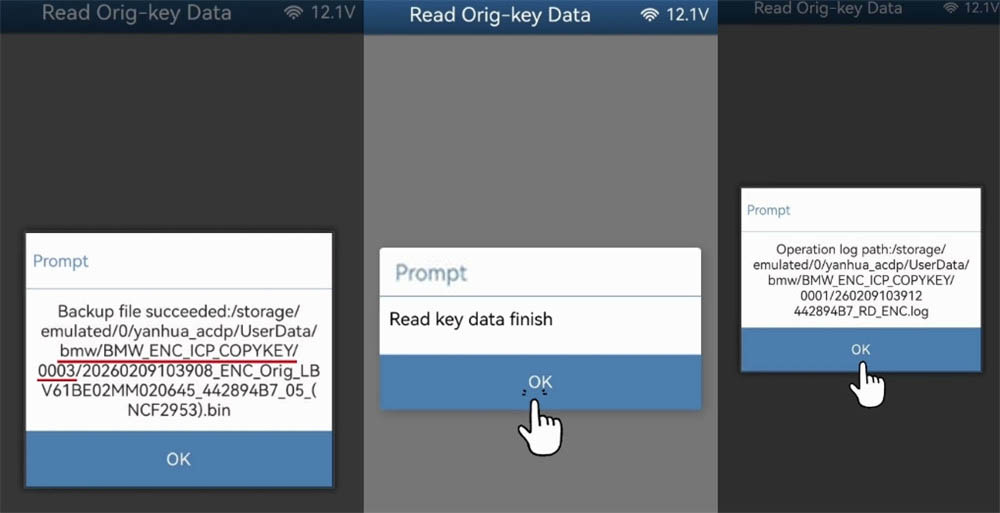
Select the option to read the original key data. After reading, verify that the VIN and other details match the vehicle. Save a backup .bin file — make a note of the file path and timestamp for later reference.
5. Write data to the new blank key
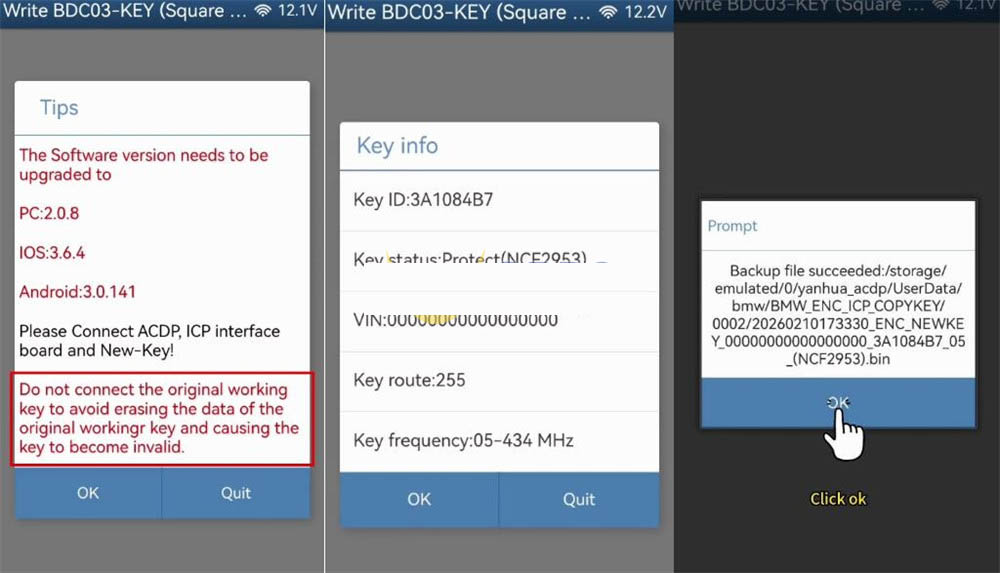
Choose the function Write BDC03 key (encrypted). Remove the original key from the fixture and insert the new blank key. ⚠️ Critical: Never reconnect the original key during the writing process — doing so may permanently disable it. Once the new key is inserted, confirm its details and back up its current (empty) state if prompted.
6. Finalise the cloning
Upload the previously saved .bin backup of the original key. The software will verify that the data matches. Proceed with writing to the new key. Wait for the success message — the Mini ACDP2 automatically saves the cloned key data. Your new BDC3 key is now ready.