This detailed guide explains how to duplicate an encrypted BMW BDC2 key using the Yanhua ACDP2 programmer in a bench setup—no car needed. Perfect for locksmiths and automotive technicians.
Required Tools & Materials
- Yanhua Mini ACDP or ACDP2 main unit with Module 38 license activated
- ACDP BMW BDC2/BDC3 encrypted key adapter board
- One original working key (must be fully functional)
- One target key (can be a blank or a second‑hand locked key)
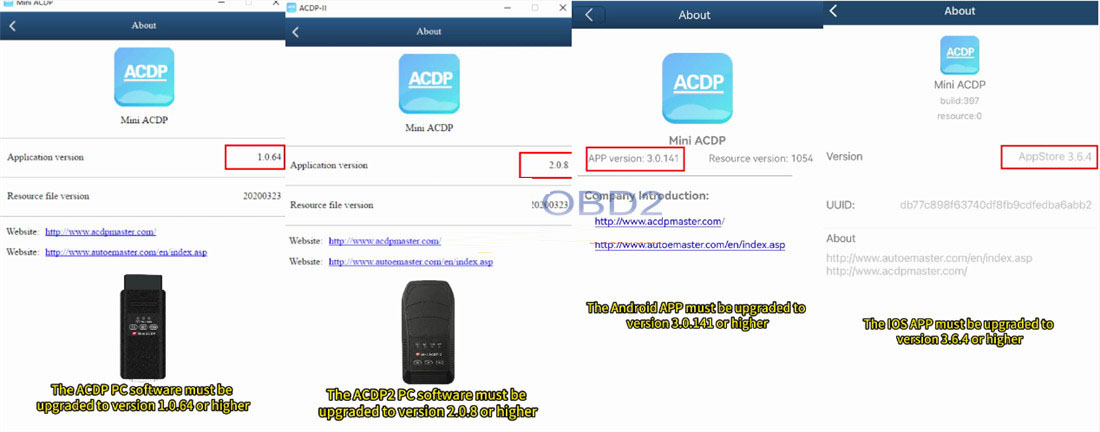
Minimum Software Versions
- ACDP PC software: V1.0.64 or newer
- ACDP2 PC software: V2.0.58 or newer
- Android app: V3.0.141 or newer
- iOS app: V3.6.4 or newer
Phase 1: Extracting Data from the Original Key
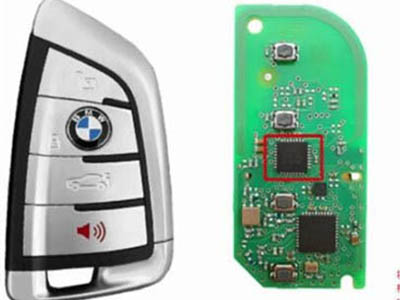
Carefully open the original BDC2 key fob and locate the rectangular main chip on its circuit board. This chip holds the encrypted data.
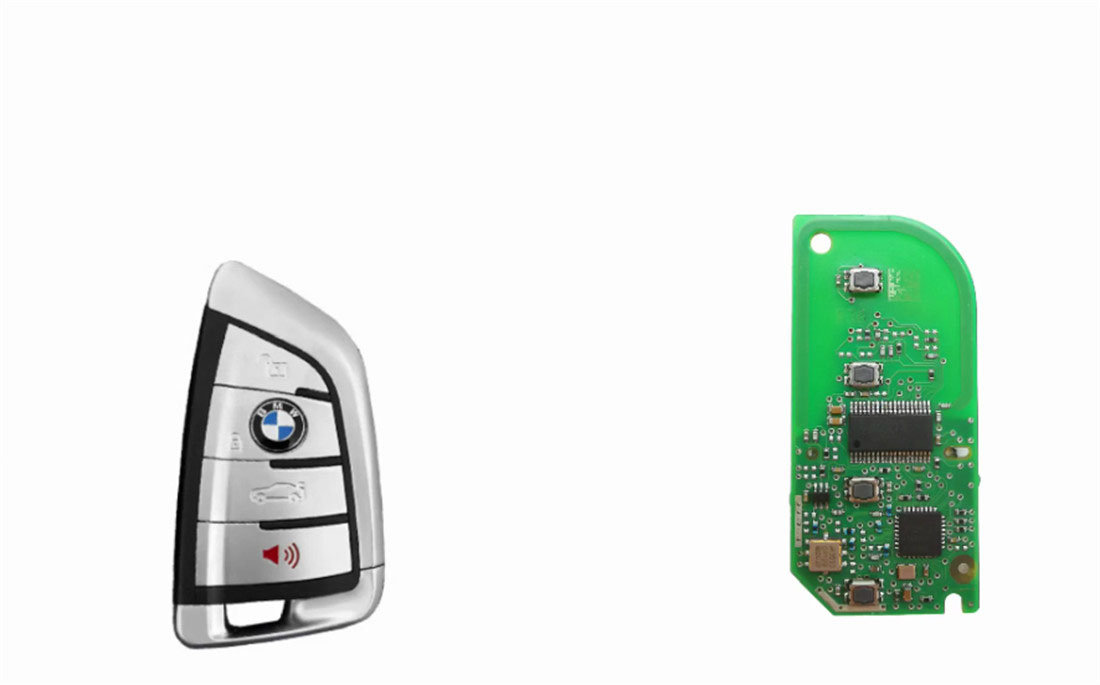
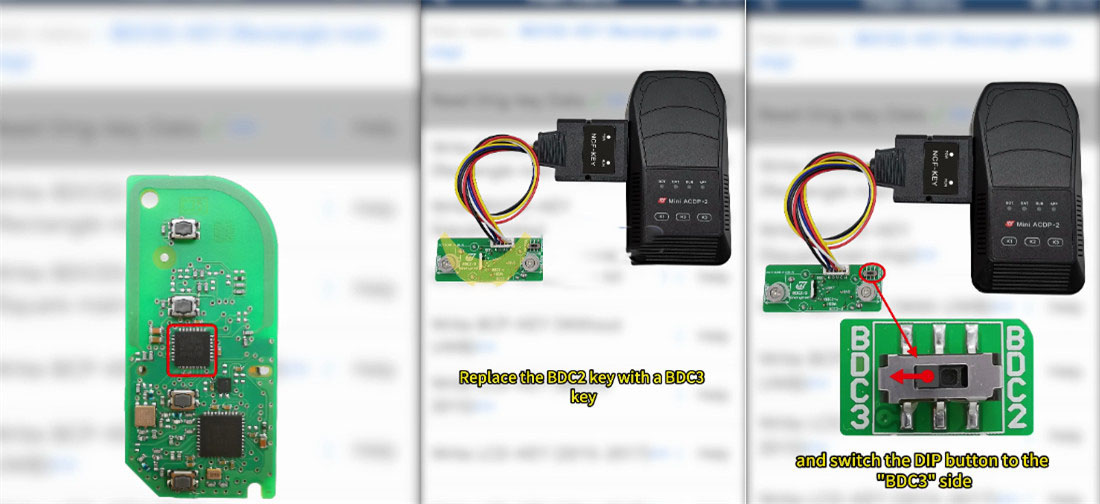
Connect the Mini ACDP2, the BMW BDC2 encrypted key interface board, and the original key board as shown in the images below.
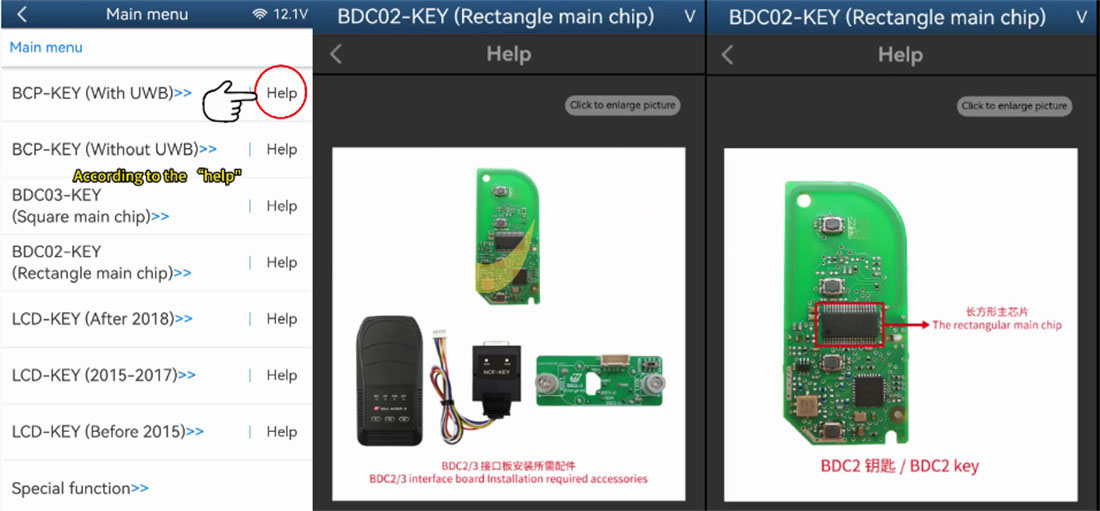
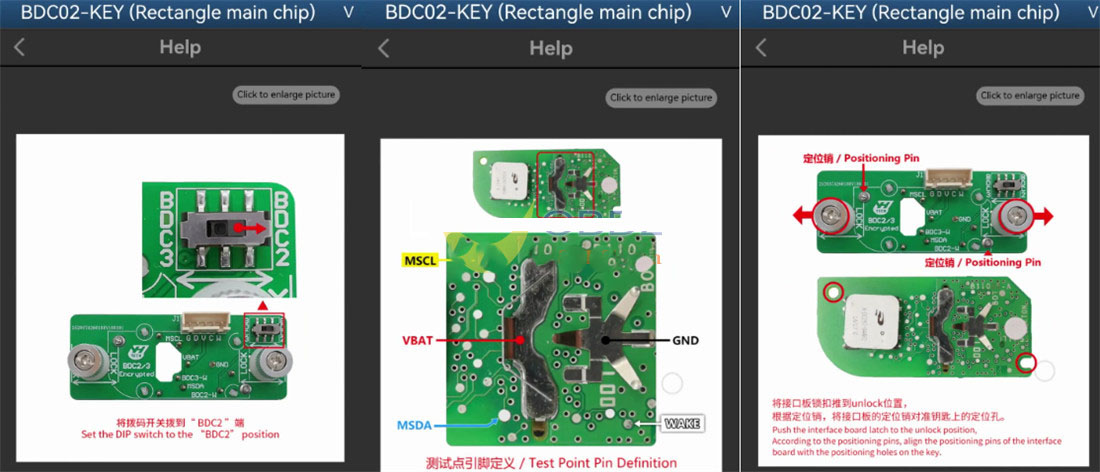
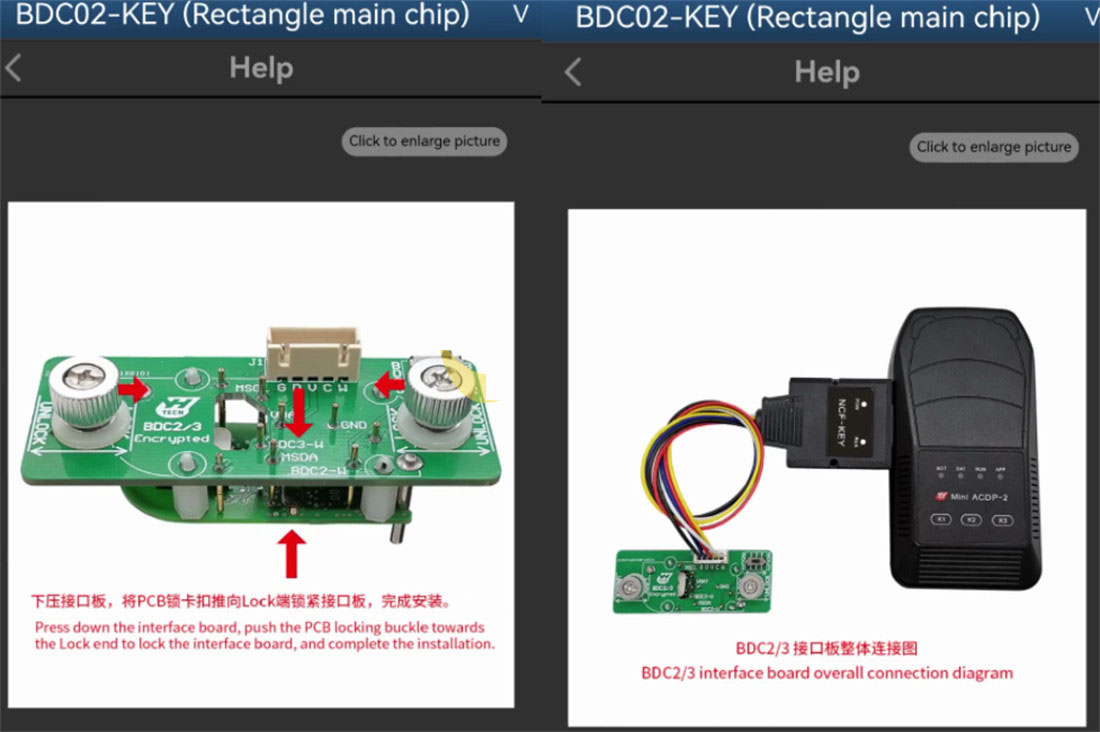
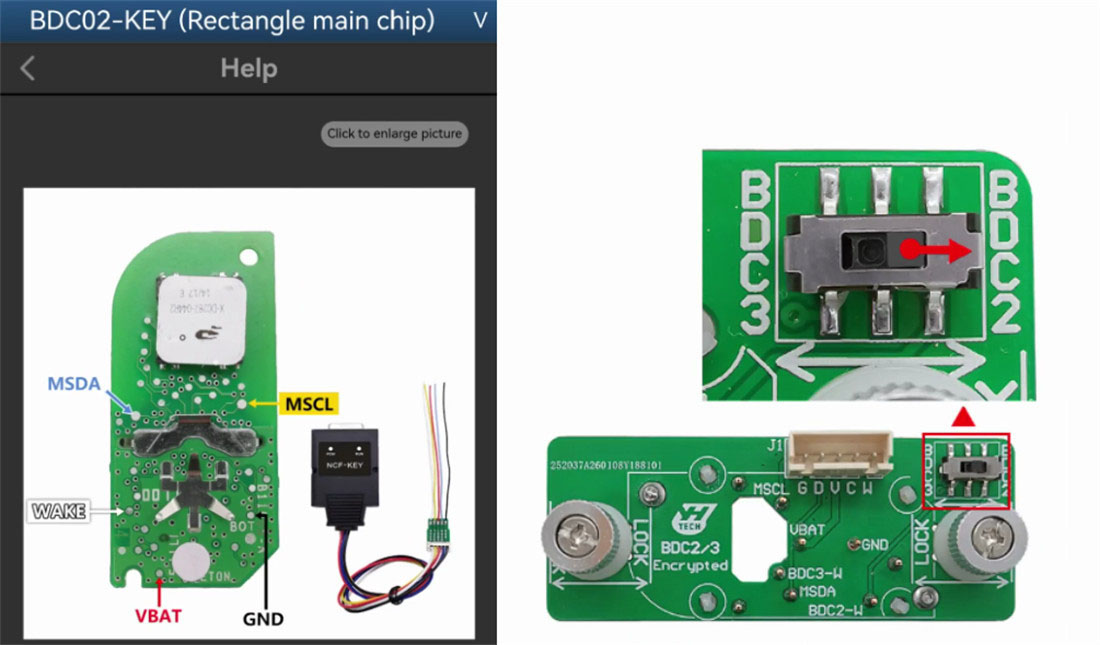
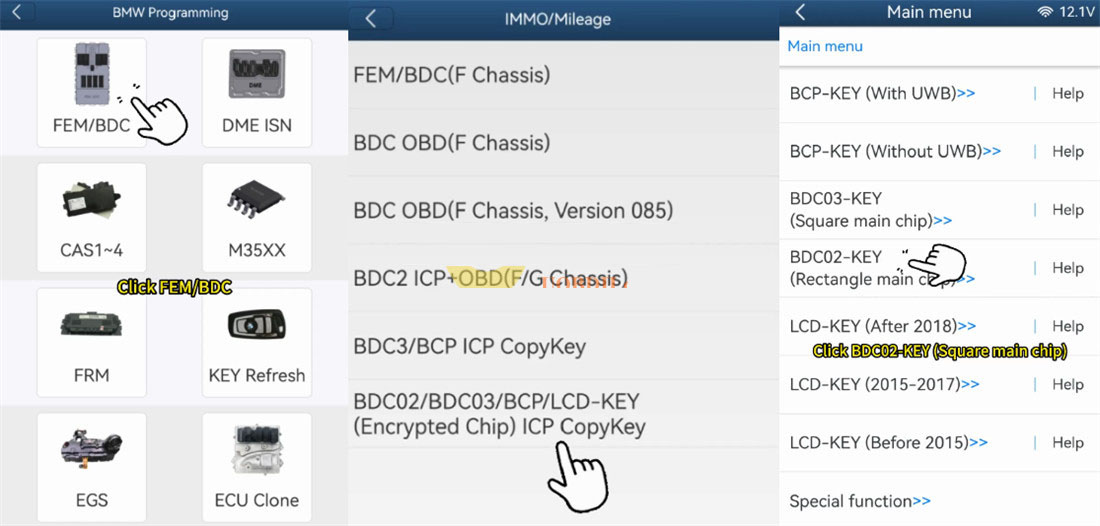
Launch the ACDP software and navigate to:
BMW → FEM/BDC → IMMO/Mileage → BDC02/BDC03/BCP/LCD key (encrypted chip) ICP copy key → BDC02 Key (Rectangle main chip)
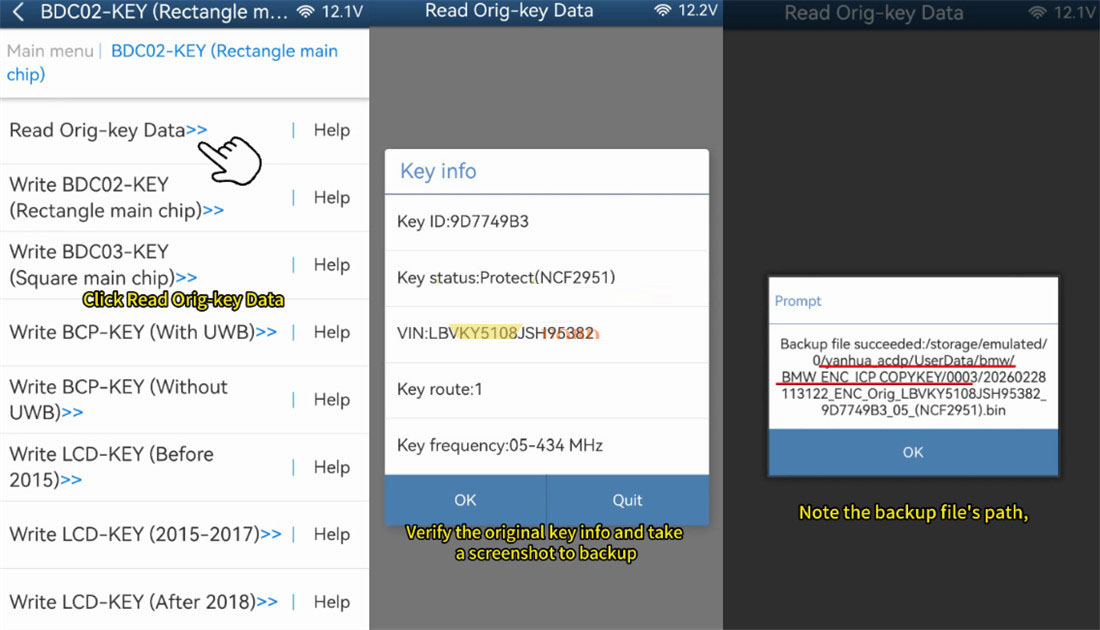
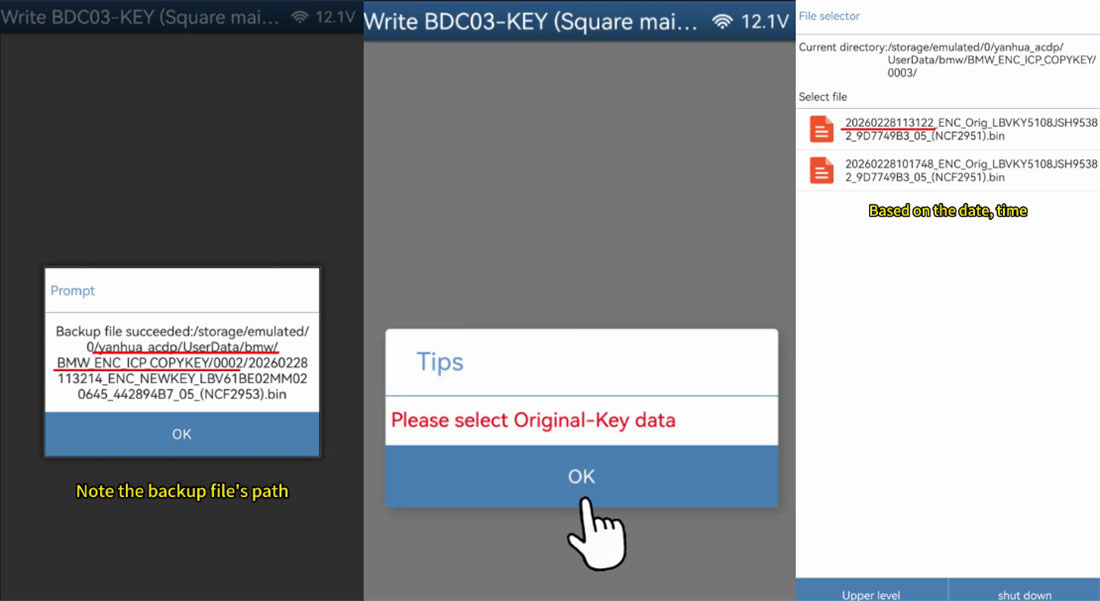
Start the reading process. Once completed, the software will display the VIN and Key ID on screen—take a screenshot for reference. A .bin backup file is automatically saved; note its location because you will need it later.
Phase 2: Preparing the New Key
The method supports BDC03, BCP, and LCD display keys. Disassemble your new key to expose its circuit board.
Phase 3: Transferring Data to the New Key
⚠️ Critical: Before connecting the new key, make sure the original key is completely disconnected from the adapter.
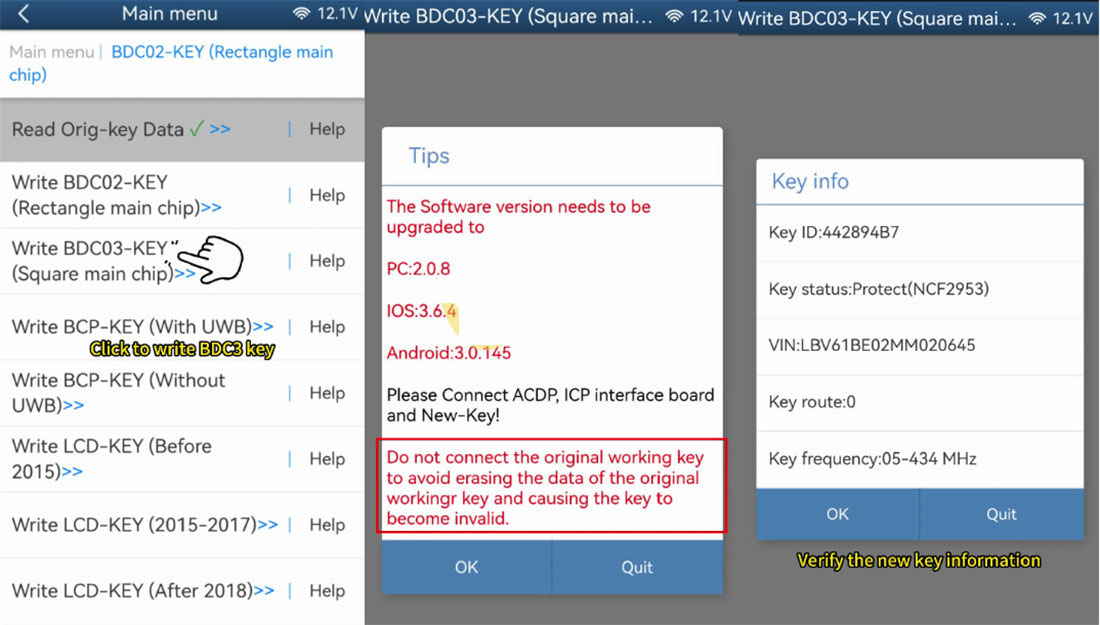
Attach the new key’s board to the Yanhua ACDP2 programmer and the BDC2 interface board. If you are moving from a BDC2 to a BDC3 key, set the DIP switch on the interface board to the BDC3 position.
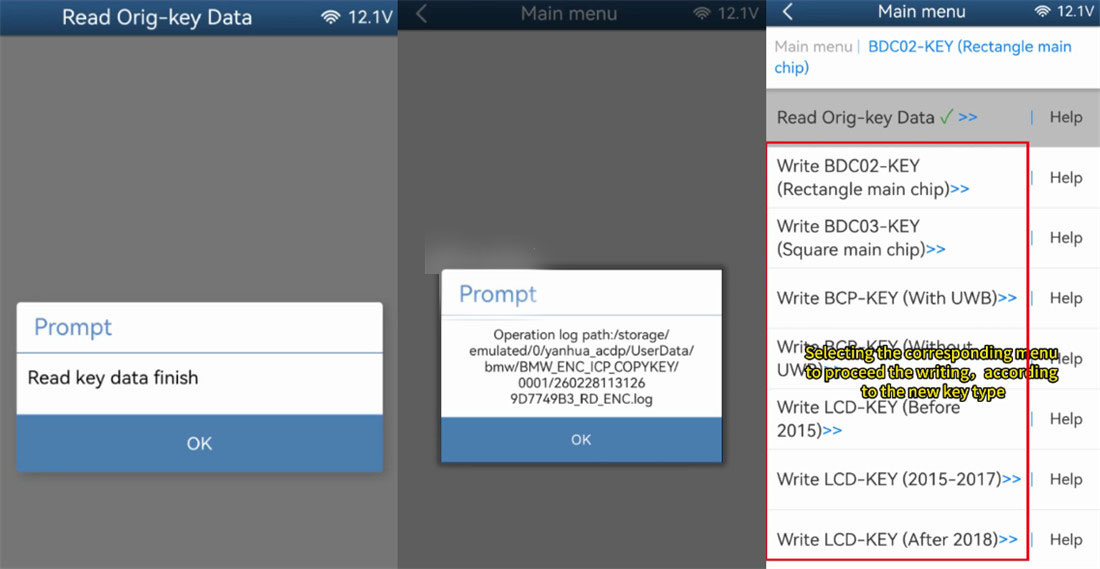
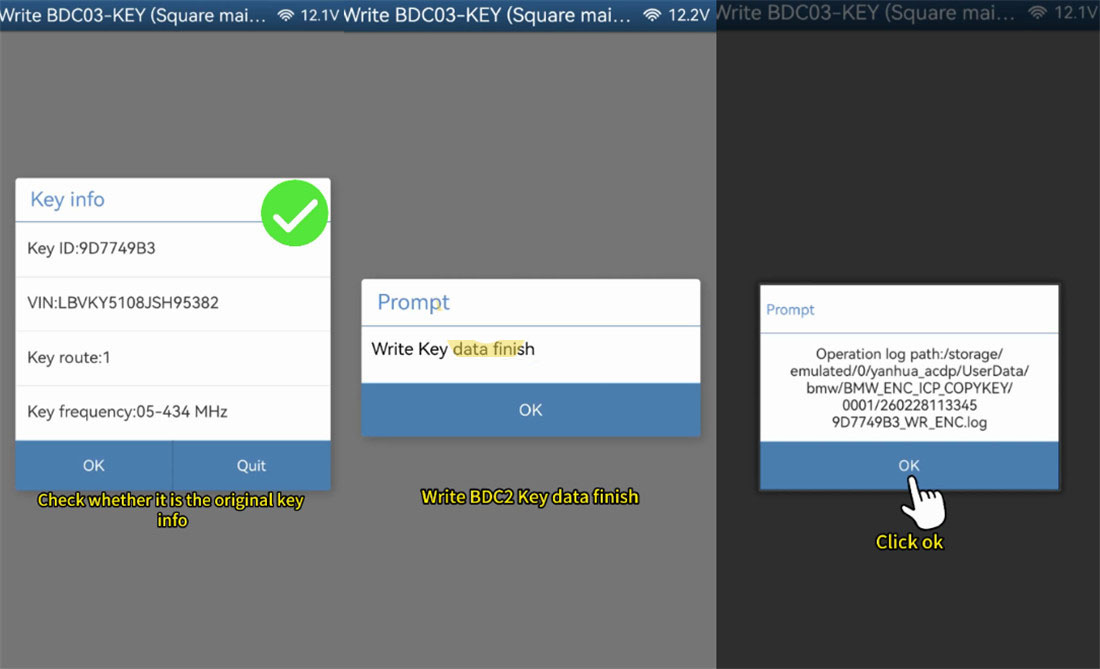
Select the appropriate write option (e.g., BDC03 Key Square main chip). The software will ask for the original .bin backup file. Double‑check that the VIN and Key ID shown match the original data, then begin the writing procedure.
After writing finishes, it is recommended to read the new key again to confirm the cloning was successful. Take another screenshot for your records.
Phase 4: Final Testing in the Vehicle
Reassemble both key shells. Then test each key in the car: lock/unlock the doors and start the engine. Both should work exactly like the original. If everything functions correctly, the cloning process is complete. Additionally, if any warning lights appear or you wish to verify the vehicle’s systems after key programming, an OBD2 scanner can be used to read diagnostic trouble codes.